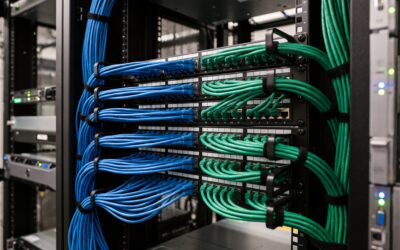
In many of the homes and commercial spaces we design, the Mac has become the brain of entertainment and automation: curating media libraries, running home cinema control interfaces, hosting media servers, and providing day-to-day access to lighting, climate, and security systems. This centrality makes macOS an attractive target for attackers. While Apple’s platform benefits from strong built‑in protections, today’s threat landscape increasingly leverages cross‑platform techniques, phishing, and lateral movement across the network—precisely the risks present in AV‑centric environments.
Understanding these risks and building a layered defense are essential to preserve performance, availability, and privacy. The following guidance is tailored to AV and automation scenarios in homes, hospitality, workplaces, and public facilities.
1) The AV‑Centric macOS Threat Landscape
Macs in AV and smart environments face a specific blend of threats:
- Ransomware disrupting media and automation
- Consequence: Encryption of media libraries (e.g., film and music collections), project assets for audio production, and the control software that ties together displays, amplifiers, lighting, and HVAC. The result can be a cinema room or meeting space that will not start, or a venue unable to play scheduled content.
- Adware and potentially unwanted programs (PUPs)
- Consequence: Intrusive pop‑ups, malicious browser extensions, and background processes that degrade streaming performance, introduce latency during 4K playback, or interfere with DAW workflows and live mixing.
- Phishing that compromises remote access
- Consequence: Stolen credentials used to access cloud accounts, remote desktop tools, or password managers. In AV environments this can translate to unauthorized access to media servers, cameras, or control dashboards.
- Lateral movement across the network
- Consequence: An infected laptop used for media management or content playback becomes a stepping stone to network‑attached storage (NAS), surveillance NVRs, smart displays, controllers (e.g., for lighting or room automation), or wireless speakers. Attackers often look for weak credentials, outdated firmware, or services exposed to the internet.
- Supply‑chain and plugin risks
- Consequence: Unsigned or pirated media utilities, codec packs, or content‑tagging tools may carry bundled malware. Even legitimate third‑party plugins can introduce vulnerabilities if not kept current.
The takeaway is clear: security incidents on macOS no longer stay on the Mac. They can interrupt the entire AV experience and undermine safety and privacy across the smart space.
2) Choosing macOS Security Software for AV and Automation Use
Selecting the right security solution is as much about performance and compatibility as it is about detection. When evaluating macOS security software for AV‑centric roles, prioritise the following:
- Real‑time protection with behavioural detection
- Look for continuous monitoring that can detect new or obfuscated threats without relying solely on signatures.
- Ransomware blocking and rollback
- Capabilities to prevent unauthorized encryption and restore changed files using protected folders, snapshot integration, or rollback features.
- Web and email protection
- Anti‑phishing, malicious URL blocking, and email scanning (including for commonly used mail clients) to stop credential theft at the source.
- Minimal performance impact
- Native Apple Silicon support (M‑series) and full compatibility with the latest macOS versions.
- Low CPU and disk overhead during 4K HDR playback, multi‑channel audio production, or real‑time control tasks. Independent test results and on‑site trials are valuable here.
- On‑demand and scheduled scans
- Flexible scheduling to run during off‑hours, plus manual scans for removable media (e.g., SD cards and USB drives used for content ingest).
- Clear logging, quarantine, and alerting
- Transparent threat logs, straightforward quarantine management, and clear remediation guidance suitable for both end users and administrators.
- Multi‑device coverage and central management
- Licences that cover the household or small business fleet—Macs, iOS/iPadOS, and Windows endpoints where applicable—with a central console for policy and status.
- Content and parental controls (where appropriate)
- DNS or endpoint‑level content filtering to align with household preferences or corporate policies in public‑facing spaces.
- Interoperability with AV workflows
- Options to define safe exclusions for trusted, high‑throughput directories (e.g., specific render caches), applied conservatively and documented after a risk assessment to avoid weakening protection.
A short, structured proof‑of‑concept in your real environment—playing back 4K content, running your DAW session, syncing the media library, and switching scenes—will reveal how each product behaves under typical load without sacrificing security.
3) Network Best Practices for Smart Homes and Commercial Spaces
A secure Mac is only one layer. The network must prevent a single compromised device from jeopardising everything else. We recommend:
- Segment the network
- Use separate SSIDs/VLANs for IoT/AV devices (displays, controllers, cameras, speakers), user endpoints (laptops, phones, tablets), and administrative devices. Apply firewall rules to restrict cross‑segment access to only what is necessary (for example, media server ports from player devices, but not full access).
- Prefer WPA3 and strong credentials
- Enable WPA3 on wireless where supported, use unique strong passphrases, and disable legacy protocols where possible.
- Avoid unnecessary exposure
- Disable UPnP and manual port forwarding unless strictly required. Do not expose NAS, cameras, or control interfaces directly to the internet.
- Use secure remote access
- Provide VPN‑based access for remote control and maintenance rather than opening service ports. Enforce per‑user accounts and granular permissions.
- DNS filtering and secure resolvers
- Apply DNS security to block known malicious domains and phishing sites across all segments. This is lightweight and highly effective.
- Keep firmware and OS current
- Regularly update macOS, controllers, switches, access points, NAS, and cameras. Prioritise critical security advisories from vendors.
- Enforce multi‑factor authentication (MFA)
- Require MFA for Apple IDs, cloud password managers, remote access tools, NAS admin portals, and any critical control dashboards.
- Harden device defaults
- Change default passwords, disable unused services, and review guest network settings. Where discovery is needed (e.g., AirPlay or casting across segments), use secure service‑discovery relays rather than flat networks.
These practices materially reduce the blast radius of any incident and help ensure that media playback, control systems, and security devices remain available.
4) Data Resilience: Preparing for the Worst, Preserving the Experience
Even robust prevention cannot guarantee zero incidents. Data resilience ensures you can recover quickly with minimal disruption to your AV experience.
- Follow the 3‑2‑1 rule
- Maintain at least three copies of your data, on two different media types, with one copy offsite or offline.
- Versioned snapshots
- Use filesystem or NAS snapshots (e.g., versioned backups, APFS/Time Machine, or NAS snapshot features) so accidental deletions, corruptions, or ransomware encryption can be rolled back to clean restore points.
- Offline and offsite copies
- Keep periodic backups on media that are not continuously connected, and maintain secure offsite copies to protect against fire, theft, or site‑wide compromise.
- Immutable/locked backups where available
- Where your backup platform supports it, enable write‑once immutability for backup sets to prevent tampering.
- Test restores periodically
- Schedule test restores of representative datasets—media libraries, automation configs, DAW projects—to validate that backups are complete and recovery time objectives are met.
Well‑designed backup and recovery plans turn a potential outage into a brief maintenance window.
5) Operational Practices and the Value of a Professional Integrator
Day‑to‑day discipline keeps protection tight without hampering creativity or comfort:
- Schedule security scans and heavy tasks during off‑hours to avoid contention with screenings, events, or recording sessions.
- Operate with least‑privilege accounts on Macs; reserve administrator rights for installation or maintenance windows.
- Install only notarized software from trusted developers. Avoid pirated media tools and “free” utilities; they are a frequent malware vector.
- Standardise a software catalogue for household or staff devices and keep it updated.
- Train users to recognise phishing and social engineering, including look‑alike login pages and unexpected “verification” prompts.
- Maintain an accurate inventory of Macs, controllers, NAS, and AV endpoints. Review logs and alerts routinely, not only after an incident.
How a professional integrator can help
A layered security posture is most effective when it is designed around the realities of AV and automation. As a specialised AV and smart home integrator, HYDE AV brings domain‑specific expertise to:
- Assess your existing AV network and macOS endpoints
- We audit topology, VLANs/SSIDs, firewall rules, remote access paths, and device configurations across home cinemas, media servers, controllers, cameras, and NAS.
- Select and deploy compatible macOS security solutions
- We recommend products that provide strong protection with minimal performance impact on 4K playback and audio production, support the latest macOS and Apple Silicon, and offer clear logging and central management for households and small businesses.
- Implement segmentation and secure remote management
- We design practical VLAN and Wi‑Fi segregation, disable unnecessary exposures (UPnP/port forwarding), set up VPN‑based remote access, and integrate DNS filtering. Where discovery across segments is required, we implement it securely to maintain seamless user experiences.
- Strengthen data resilience
- We design 3‑2‑1 backup strategies that incorporate versioned snapshots, offline/offsite copies, and routine restore tests, tailored to your media and automation workloads.
- Provide ongoing monitoring and support
- We maintain firmware and OS updates, review alerts and logs, adjust policies as your setup evolves, and coordinate with trusted AV brands to ensure that security never compromises integration quality.
Whether you are a homeowner, a hospitality venue, or a public facility, the goal is the same: keep your cinema and smart spaces running smoothly, safely, and without compromise. If you would like a comprehensive review of your current environment or guidance on selecting the right macOS protection for your AV workflows, HYDE AV is ready to assist.