Matter is the universal, IP‑based smart‑home and smart‑building standard that gives devices a common language. In practical terms, it lets products from different ecosystems—Apple, Google, Amazon, and others—work together without relying on a single vendor’s cloud. Multi‑admin support means the same device can be controlled by more than one ecosystem at the same time, reducing lock‑in and allowing you to choose the best control interface per user or space. Because Matter prioritizes local communication, automations can run on your network even if the internet drops, improving reliability, latency, and privacy.
Where Matter is strongest today:
- Door locks, thermostats, lighting (switches, dimmers, bulbs), blinds/shades, smart plugs, and environmental sensors (contact, motion, temperature, humidity, air quality) are well supported and increasingly feature‑complete.
Where it is still catching up:
- Certain audio, camera, and cleaning categories either remain outside of Matter or offer limited features compared with proprietary integrations. Many of these devices can still participate via vendor bridges, but advanced functions may not yet be standardized.
Connectivity fundamentals:
- Low‑power mesh (Thread). Thread is a self‑healing, IPv6 mesh designed for low‑energy, low‑latency, small‑payload devices like sensors, locks, and battery‑powered buttons. Strengths: excellent battery life, robust coverage through multi‑hop routing, and resilient performance in busy RF environments. Considerations: requires one or more Thread Border Routers (often built into modern smart speakers, hubs, or routers) to link the Thread mesh to your IP network.
- Wi‑Fi. Ideal for mains‑powered devices and higher bandwidth needs (for example, bridges, some controllers, and certain lighting products). Strengths: low latency on a well‑engineered network and broad device availability. Considerations: higher power draw (not suitable for many battery devices), potential congestion on 2.4 GHz if access points are poorly placed or channels are overcrowded.
Latency, battery life, and stability:
- Latency: Both Thread and Wi‑Fi can be fast; Thread’s mesh routing often outperforms weak Wi‑Fi in marginal areas.
- Battery life: Thread wins decisively for sensors, buttons, and locks; Wi‑Fi should be reserved for powered devices.
- Stability: Thread’s mesh and Wi‑Fi with properly designed Ethernet‑backhauled access points are both stable. Instability usually comes from poor RF planning or consumer‑grade extenders.
Network backbone and border routers:
- Border routers are critical for Thread; deploy more than one in medium/large properties for redundancy and coverage.
- Design Wi‑Fi with wired (Ethernet) backhaul, appropriate AP density, and proper channel/power planning. Avoid repeating/extending wirelessly where possible.
- Where feasible, use Ethernet for stationary hubs, bridges, and media gear to ease RF congestion and improve reliability.
Planning a Matter‑ready Project (New Build or Retrofit)
Whether you are building from scratch or upgrading an existing space, plan for power, data, and placement first—and only then select devices.
Network and power planning:
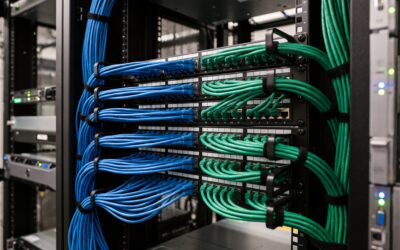
- Run structured cabling (Cat6/6A) to fixed control points, AV racks, WAP locations, TVs, key sensors (where PoE models are desirable), and motorized blinds/shades power points.
- Use Ethernet for access points, bridges, and controllers. PoE simplifies deployment and centralized UPS backup.
- Ensure strong 2.4 GHz and 5 GHz Wi‑Fi coverage with overlapping cells set to non‑overlapping channels; avoid auto settings that cause channel flapping.
Electrical readiness:
- Ensure neutral wires in switch boxes to support smart dimmers/switches; specify deeper back boxes (35–47 mm) to accommodate modules and wiring.
- For blinds and shades, plan permanent power (or safe access for battery charging) and control cable paths where manufacturer‑specific bridges are required.
- Consider in‑ceiling speaker pre‑wire and isolated low‑voltage paths for sensors to reduce RF clutter in dense deployments.
Placement for reliable coverage:
- Place border routers and APs away from metal enclosures and large appliances. Distribute Thread mains‑powered nodes (plugs, in‑wall modules) to create a dense, reliable mesh.
- Avoid stacking multiple wireless technologies in a single cavity box; heat and interference increase failure rates.
Firmware and lifecycle:
- Choose vendors with clear over‑the‑air (OTA) firmware policies and Matter certification updates. Verify devices support future Matter feature sets relevant to your use cases (for example, scenes, energy reporting, and role‑based access).
- Maintain documentation of device IDs, firmware versions, and commissioning codes. Adopt a schedule for testing and staged updates.
Migration paths and bridges:
- Audit existing Zigbee, Z‑Wave, and proprietary devices; many can be brought forward via Matter‑enabled bridges. Expect some feature gaps through bridging (advanced scenes or diagnostics may remain proprietary).
- For legacy Wi‑Fi cloud devices, consider staged replacement where local Matter control yields meaningful reliability or privacy gains.
Real‑World Use Cases That Work Today
Zoned heating with presence‑based schedules:
- Pair Matter thermostats and TRVs with presence sensors per zone. Automations raise setpoints when occupancy is detected and drop to setback when vacant.
- Use adaptive schedules that consider outdoor temperature (via a local weather bridge), room usage patterns, and window‑open sensors to prevent waste.
- In commercial zones, combine booking calendars (via third‑party bridges) with local presence to avoid unnecessary preheating when meetings are cancelled.
Automated shading for comfort and efficiency:
- Motorized blinds/shades on Matter respond to solar position, indoor temperature, and lux sensors. Automations close blinds during peak sun to reduce cooling load and open them for daylight harvesting.
- Coordinate shading with HVAC: prevent simultaneous heating and shading conflicts through a central automation rule.
Scene‑based lighting:
- Define scenes (focus, relax, presentation, cleaning) that coordinate dimmers, switches, and smart plugs across rooms or zones. Trigger scenes by time, presence, or wall keypads/buttons so users are not dependent on phones.
- Use circadian profiles that shift color temperature and brightness through the day to improve comfort and productivity.
Access control with flexible permissions:
- Deploy Matter‑compatible locks to issue temporary PINs or time‑bound credentials for guests, cleaners, or contractors. Proximity rules can auto‑unlock for authorized smartphones within geofenced or near‑field thresholds.
- In MDUs or offices, combine lobby controls and lifts with user roles so tenants and staff gain access only to permitted areas. Keep emergency overrides and audit trails local where possible for resilience.
Security, Privacy, Reliability—and the Limitations to Manage
Benefits of more local control:
- Local automations reduce dependency on cloud services and internet connectivity, cutting latency and closing common failure points.
- Commissioning is secured with device‑specific credentials; operational traffic is encrypted end‑to‑end on the local network.
- Multi‑admin and role‑based control let you assign user roles (owner, member, guest) and constrain permissions by device or zone. Guest access can be time‑limited and revoked centrally.
Why professional commissioning helps:
- Correct RF channel planning, AP placement, VLAN segmentation, and power/UPS design dramatically reduce intermittent faults.
- Installers validate neutral availability, back box depth, and load compatibility (especially for dimming) to prevent nuisance issues like flicker, ghosting, or relay chatter.
- Documentation and maintenance plans keep firmware aligned, backups current, and spare stock on hand for critical areas.
Limitations to plan for:
- Price premiums: Newer Matter‑native devices may cost more initially; total cost is often offset by reduced hubs and simpler management.
- Regional availability: Heating controls vary significantly by market; verify compatibility with local boilers, heat pumps, and valve standards.
- Platform feature gaps: Matter’s common feature set may lag proprietary ecosystems—particularly for complex audio distribution, advanced camera analytics, or robot cleaning. Some functions will still require vendor apps or bridges.
- Setup/connectivity hiccups: Commissioning can fail due to weak signal, congested channels, or stale firmware. Budget time for updates and validation.
- Bridge trade‑offs: Bridging older devices preserves investment, but may not expose every capability (for example, manufacturer‑specific scenes or diagnostics).
Commercial Considerations and Decision Checklist
For offices, hospitality, and multi‑dwelling projects, Matter’s interoperability helps unify mixed fleets while leaving room to choose best‑of‑breed hardware.
Interoperability across mixed devices:
- Standardize the backbone: Ethernet‑backhauled Wi‑Fi, redundant border routers, and segregated IoT VLANs with proper mDNS/IPv6 routing.
- Use Matter where categories are mature (locks, lighting, shades, sensors, plugs, thermostats). Retain vendor‑specific systems where features are not yet standardized (enterprise video, pro audio, cleaning robots), integrating via bridges or control processors where appropriate.
Maintenance at scale:
- Centralize inventory, commissioning data, and firmware policies. Use staggered update windows and pilot groups to minimize downtime.
- Monitor health: SNMP or controller dashboards for APs, switches, and border routers; periodic audits of device responsiveness and battery levels.
- Set SLAs for response, replacement, and vendor escalation. Keep spares for critical path components (border routers, APs, key sensors/relays).
Lifecycle planning:
- Choose vendors with multi‑year support horizons and clear deprecation policies. Confirm that new Matter revisions will map onto existing hardware.
- Design for graceful degradation: local wall controls must work even if a hub is offline; ensure manual overrides for HVAC, lighting, and access.
Decision checklist
Choosing low‑power mesh (Thread) vs Wi‑Fi:
- Prefer Thread when:
- Devices are battery‑powered (sensors, buttons, locks).
- RF environment is congested or large properties need multi‑hop coverage.
- You want resilient, low‑maintenance meshes with minimal power draw.
- Prefer Wi‑Fi when:
- Devices are mains‑powered and may need higher throughput (bridges, controllers, some lighting).
- You already have enterprise‑grade Wi‑Fi with Ethernet backhaul in place.
- The device class is not yet available on Thread.
Auditing existing gear for upgrade paths:
- Inventory each device: protocol (Zigbee/Z‑Wave/Wi‑Fi/proprietary), firmware status, and current role.
- Identify Matter‑capable replacements or confirm bridge support and feature parity.
- Map physical constraints: neutral presence, back box depth, power availability for shades/relays, and network reach.
- Prioritize upgrades where local control brings the biggest gain (security devices, lighting backbones, HVAC control).
How a specialist installer adds value:
- Design: RF surveys, cabling plans, AP and border‑router density, power and UPS strategies, and safe electrical specifications (neutrals, dimmer load classes).
- Integration: Selection of Matter‑native products, pragmatic use of bridges, and alignment with platform preferences (voice assistants, mobile apps, panels).
- Commissioning: Secure provisioning, documentation, and user role templates for homeowners, facility teams, and tenants.
- Support: Proactive monitoring, firmware lifecycle management, and rapid fault isolation across network, power, and device layers.
A Matter‑ready approach in 2025 is less about chasing brands and more about building a robust, standards‑led foundation. With deliberate planning—right down to cabling, power, and RF—you can deploy a cohesive, energy‑efficient system that remains flexible as categories mature and features expand.