A well‑designed smart home reduces repeated tasks, streamlines decision‑making, and provides peace of mind. The key is to combine the right devices with thoughtful routines that respond to your schedule and presence. Below are the core categories that contribute meaningfully to daily efficiency:
- Smart displays and speakers: Provide voice control, visible dashboards for cameras and routines, intercom/announcements, and rapid access to scenes. Ideal as room hubs for hands‑free control in kitchens, family rooms, meeting spaces, and reception areas.
- Lighting and motorised shades: Automate illumination and daylight management for comfort, productivity, and security. Scenes deliver instant ambience; occupancy and ambient‑light sensing avoids waste; shades reduce glare and heat gain.
- Thermostats and sensors: Smart thermostats and room/door/window sensors enable pre‑heat/cool, zoned comfort, eco mode when away, and alerts for doors or windows left open. Air‑quality and humidity sensors help maintain a healthier environment.
- Video doorbells and outdoor cameras: Provide verified presence at the perimeter, parcel detection, and event recording. Integration with lighting and audio can deter intruders and make arrivals seamless.
- Smart locks: Offer auto‑lock, temporary access codes, audit trails, and geofenced unlock (with safety checks). Ideal for family, guests, and trusted trades.
- Robot vacuums and mops: Keep floors clean on a schedule or when the property is unoccupied, with virtual zones to avoid obstacles and sensitive areas.
- Leak, smoke, and environmental detection: Early warnings for water, smoke/heat, carbon monoxide, and freezing conditions; can trigger shut‑off valves, sirens, and lighting for rapid response.
- Garage and gate controllers: Enable secure, monitored entry/exit and geofenced convenience. Ideal for driveways, car parks, and loading areas.
The greatest time savings occur when these components interoperate through a unified platform, allowing multi‑device scenes that run automatically and reliably—without constant app juggling or unnecessary notifications.
Example Routines That Work in the Real World
Below are proven routines, the devices they coordinate, common triggers, and ways to prevent notification overload. Each can be adapted to domestic, commercial, or public environments.
-
Morning
- Devices: Bedroom and corridor lights, motorised shades, thermostat, smart speaker/display, kettle/coffee via smart plug, leak/smoke check, door lock status.
- Triggers: Fixed schedule aligned to wake time; adaptive sunrise offset; occupancy sensor after first movement; voice command “Good morning”.
- Actions: Gently raise lights and shades, pre‑warm or pre‑cool occupied zones, read calendar and commute, start coffee, confirm all‑clear on safety sensors.
- Notification hygiene: Use a single summary (“Home is secure, 18°C, traffic clear”), suppress individual device pings.
-
Away
- Devices: Lighting, shades, thermostat, smart locks, cameras/doorbell, robot vacuum, garage/gate controller.
- Triggers: Geofencing when last person leaves; security mode via wall keypad/button; office closing time.
- Actions: Lock doors, close gates/garage, set HVAC to eco, enable exterior cameras/doorbell recording, start cleaning, set lighting to occupancy simulation.
- Notification hygiene: Critical alerts only (alarm, leak, smoke, forced entry). Routine status logged silently.
-
Return
- Devices: Entry lighting, hallway speaker for announcements, thermostat, smart lock, garage/gate, selected AV scene for news or music.
- Triggers: Geofencing on approach; vehicle detection by driveway camera; door unlock event.
- Actions: Open gate, turn on path and entry lights, restore comfort temperature, optionally play a preferred source (e.g., a welcome playlist across multi‑room audio).
- Notification hygiene: Suppress motion alerts for a short window after verified unlock to avoid “you arrived” spam.
-
Bedtime
- Devices: Whole‑home lighting, shades, smart locks, thermostat, leak/smoke verification, cameras, AV off, “do not disturb” scene.
- Triggers: Fixed time, voice command, bedside button, inactivity in living areas.
- Actions: All‑off lighting (with low‑level night path lights), lock all doors, arm perimeter cameras, set HVAC setback, confirm safety device status on bedroom display.
- Notification hygiene: Night mode—allow only life‑safety alerts and critical security events.
-
Travel/Security Check
- Devices: Locks, cameras, water shut‑off, lights, garage/gate, sensors, network monitors.
- Triggers: Travel mode scene; calendar event; geofence long‑distance departure.
- Actions: Double‑arm cameras, enable parcel/visitor alerts to a shared contact list, shut off nonessential water valves, set extended lighting schedules, health‑check key devices (router, NVR, controller).
- Notification hygiene: Bundle daily digest emails for noncritical events. Push only if a multi‑sensor rule confirms an issue (e.g., motion + door open + no authorised presence).
-
Cleaning Day
- Devices: Robot vacuum/mop, air purifier, HVAC fan, interior doors, pet zone sensors.
- Triggers: Weekly schedule; away mode; voice command; physical cleaning button in utility room.
- Actions: Open internal doors, run vacuum then mop in sequence, boost extraction/filtration, pause cleaning if presence is detected in the current room.
- Notification hygiene: Progress logged to app; push only for exceptions (bin full, mop tank empty, stuck).
Design notes:
- Prefer layered triggers that verify presence (geofencing + occupancy + door/lock state) to avoid false routines.
- Always provide a manual override via physical buttons or wall keypads for guests and accessibility.
- Keep local scenes fast and deterministic; reserve cloud automations for noncritical tasks like information briefings.
Buyer’s Checklist: Choosing Devices and a Platform That Work Together
- Platform and hub compatibility: Confirm support for your chosen ecosystem (e.g., Apple Home, Google Home, Amazon Alexa, Samsung SmartThings, Crestron). Ensure the hub can coordinate all required device types.
- Interoperability standards: Look for Matter, Thread, Zigbee, or Z‑Wave where appropriate. For professional installations, consider robust lighting and control ecosystems and certified drivers for AV integration.
- Local vs cloud control: Prioritise local processing for core automations (lighting, security, HVAC) for speed and resilience. Use cloud for remote access and advanced analytics. Check for offline fallback behaviour.
- Power and networking: Decide between battery vs wired (mains or PoE) based on location, reliability, and maintenance. Plan Wi‑Fi coverage with wired backhaul where possible; consider VLANs for cameras/IoT; protect critical equipment with UPS. Verify doorbell transformer and chime compatibility.
- Placement and coverage: Map sensor fields of view, camera angles, and lighting zones. Use mmWave or dual‑tech sensors where fine presence detection is needed (offices, media rooms).
- Data privacy and storage: Choose encrypted devices; configure retention policies; decide between local NVR vs cloud video storage; review vendor GDPR compliance and data residency options.
- Subscription costs: Budget for cloud video plans, AI recognition features, cellular backup, or professional monitoring where required.
- Accessibility features: Ensure voice access, tactile buttons, large‑format wall interfaces, visual doorbell alerts, and hearing loop compatibility where needed.
- Expandability to AV: Confirm integration paths to multi‑room audio (e.g., Sonos, Nuvo) and whole‑home control systems (e.g., Crestron) so scenes can include music, TV inputs, and cinema modes without separate apps.
- Serviceability: Prefer brands with long‑term update policies, spare parts availability, and professional support channels.
A short consultation to align these elements will save considerable time and expense later, particularly when integrating lighting, security, networking, and AV into one coherent system.
Installation and Integration: Retrofit, New‑Build, and Unified Control
-
Retrofit tips:
- Focus on high‑impact wins that require minimal disruption: smart dimmers/keypads, battery sensors, retrofit thermostats, and wireless shades.
- Use plug‑in or PoE video doorbells and cameras where running new cabling is impractical.
- Replace isolated point solutions with a hub that unifies devices, then migrate room by room.
- Employ scene keypads to give a polished, guest‑friendly interface without rewiring every circuit.
-
New‑build and major renovation:
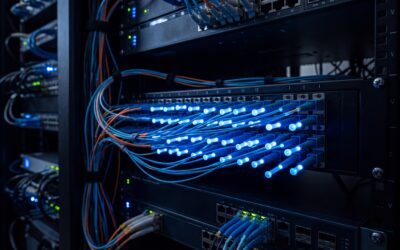
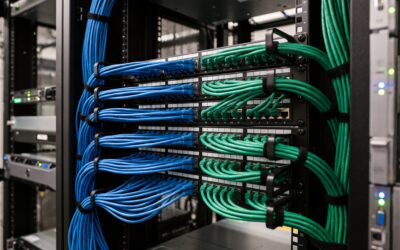
- Run structured cabling (Cat6/Cat6a) to every room, ceiling speaker positions, access points, cameras, door stations, and gate/garage controllers. Include conduit for future upgrades.
- Specify panelised lighting and low‑voltage shades for silent, synchronised scenes; centralise dimming for reliability and maintenance.
- Plan mechanical and electrical coordination early: thermostat zones, sensor locations, AV racks, ventilation for equipment, and dedicated power circuits with surge protection.
- Pre‑wire for multi‑room audio and home cinema, allowing proper speaker placement and later acoustic calibration.
-
When to use professional installers:
- Hard‑wired lighting control, distributed audio, PoE camera networks, motorised shades, gates/garage systems, and security sensor loops benefit from specialist design and commissioning.
- Home cinema and media rooms require speaker placement, amplification, and room correction to meet performance targets.
- Professional programming ensures scenes work consistently across platforms, with clear fallbacks and safety interlocks.
-
Unifying controls:
- Consolidate into a single app and wall interface where possible. A central touch panel or elegant keypad can present “Welcome”, “Away”, “Goodnight”, and “Cleaning” scenes that are understood by everyone.
- Use room‑by‑room dashboards on smart displays for local control, and provide physical buttons for critical functions.
- Integrate voice, app, and physical controls so any method can trigger the same scenes—reducing confusion and support calls.
For clients in London, Essex, Suffolk, and surrounding areas, a bespoke, fully integrated approach simplifies daily life while ensuring security and energy efficiency at scale. A professional integrator can design, install, and calibrate systems that feel effortless from day one.
Save Energy, Elevate Safety, and What’s Next
Time savings often go hand‑in‑hand with measurable reductions in energy usage and improved safety:
-
Energy‑focused automations:
- Adaptive schedules: Pre‑heat/cool only occupied zones; use open‑window detection to pause HVAC; coordinate shades with sun position to reduce heating and cooling loads.
- Smart lighting: Occupancy and daylight harvesting to maintain target lux with fewer watts; automatic “all off” on lock or alarm arm.
- Load control: Smart plugs and relays to shut down standby devices at night; stagger high‑draw loads to avoid peaks; schedule EV charging for off‑peak tariffs.
- Insight and reporting: Periodic summaries of energy use and savings by scene help refine strategies.
-
Safety and assurance:
- Water protection: Leak sensors trigger shut‑off valves, isolate appliances, and illuminate the path to the issue.
- Life‑safety integration: Smoke/heat/CO alerts can turn on lighting, pause HVAC (to slow smoke spread), and push critical alerts to all household or facilities managers’ devices.
- Perimeter deterrence: Cameras linked to lighting and audio can deter trespass; gate and garage status is verified at bedtime and on departure.
- Guest and contractor access: Time‑limited lock codes and video verification reduce key management risks.
-
Avoiding notification overload:
- Define modes (Home, Away, Night, Vacation) with different alert policies.
- Use multi‑sensor confirmation before pushing an alert; otherwise log events for review.
- Set quiet hours and digest summaries for noncritical information.
-
Emerging trends to watch:
- Better presence detection: mmWave sensors and sensor fusion (motion, door, BLE/UWB beacons) deliver room‑level accuracy for truly responsive lighting and HVAC.
- Smarter scene orchestration: Context‑aware engines that weigh occupancy, calendar, weather, and energy tariffs to choose the optimal scene automatically.
- Edge AI for security: On‑device person/vehicle/parcel detection reduces bandwidth, subscription costs, and false positives.
- Interoperability improvements: Wider adoption of Matter and Thread will make mixed‑brand systems more reliable, with faster local control.
Start with the routines that save you the most time—Morning, Away, Return, and Bedtime—and build outward. With a robust platform, carefully chosen devices, and professional design where it counts, your home or workplace will not only feel smarter, it will quietly give you back hours every week while lowering costs and enhancing safety.